When you write a diary entry, you're probably just writing some thoughts about something that's just happened. It all goes into Worknotes for you to retrieve later.
However, you can also use different types of diary entry, for example, a meeting, some work you account for in hours or days, or maybe a particular achievement or milestone. These different diary entry types not only contain some text, but also additional fields like the attendees of the meeting, how many hours work it was or what the particular achievement was.
By adding this extra information, you can find things in the past more easily. For example, you can limit a search or view to only include the meetings, or only the achievements. This adds an extra search and retrieval dimension to things like hashtags and mentions, but also lets you see at a glance all of your recent meetings, achievements or how many hours you worked.
To change the type of the diary entry, find the Entry Types menu in the editor:

Select the type of entry you want to create:
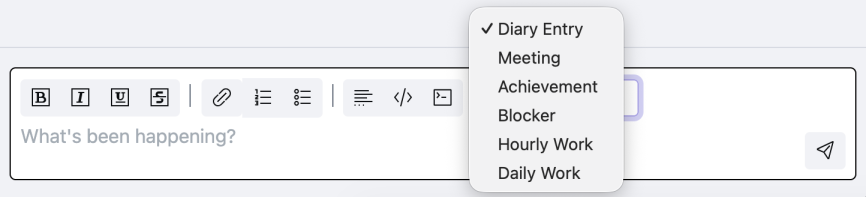
If you change your mind, you can change the entry type. If you've already written the diary entry, this will be preserved. The new type may have some additional fields to fill in. For example, this is the Meeting entry type:

The Meeting type has a space to record who was at the meeting, and some checkboxes about the 'setup' of the meeting. These help you find meeting notes later that you're interested in, and can help look back at events as a whole (perhaps to work out that whenever @boss is at a meeting, it always over-runs!?).
Also see how filters can be used with types to find and present the diary entries you want to see.